studio
Make the places you drive.
The scenes you drive in WASCAPE start their life in Wascape Studio, the browser-based editor that feeds the engine. Bring a video, a photo set, a 360 clip, or a scan you already have, then clean it, frame it, and export the exact format the engine streams.
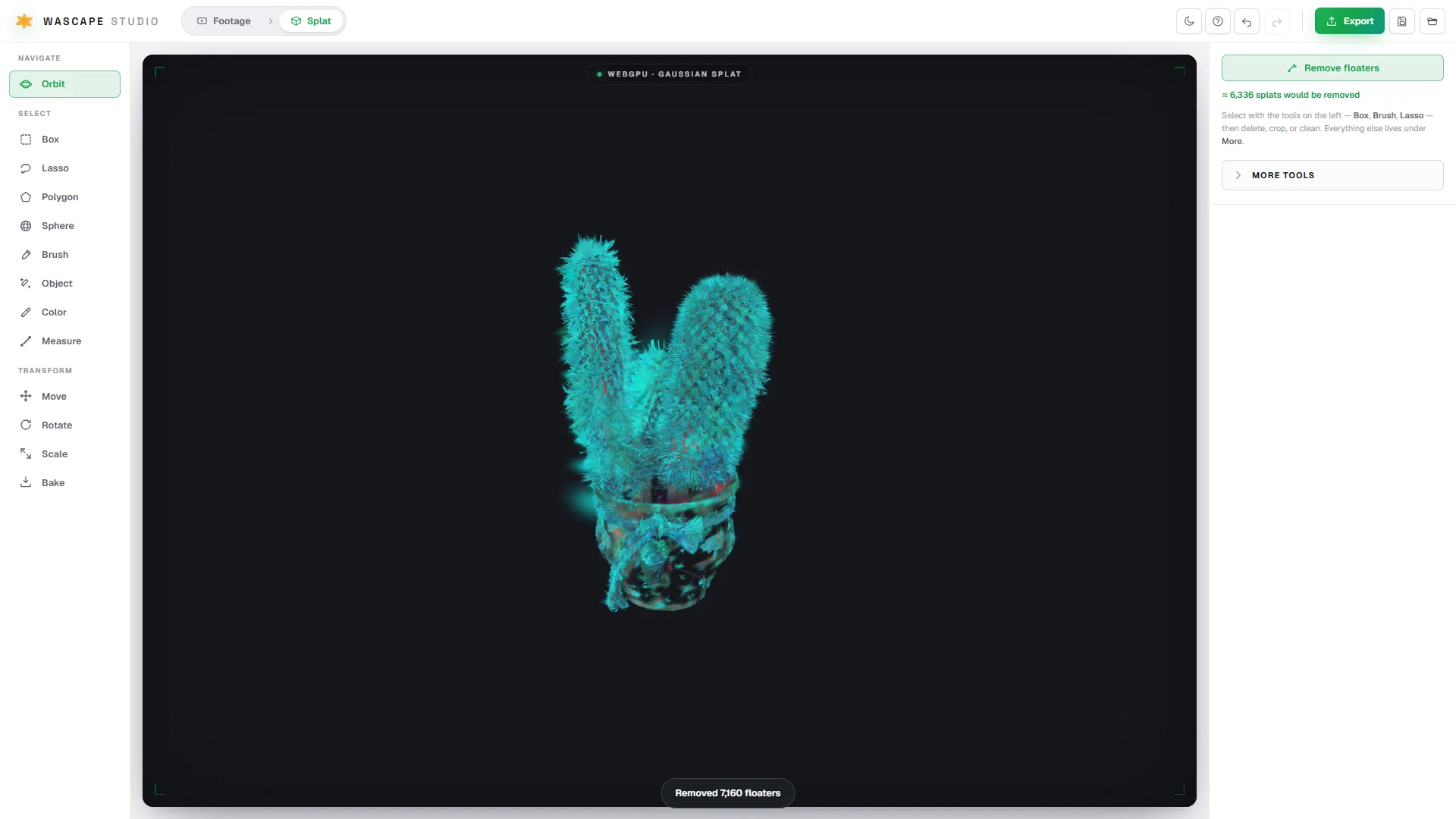
Capture to drivable, in three steps.
01
Bring it in
Start from a video, a photo set, or a 360 clip, or bring a .ply scan you already have from Luma, Polycam, or KIRI.
02
Clean and frame
Select with box, lasso, polygon, sphere, or brush. Move, rotate, scale, and bake. Remove floaters and mask out objects until the place reads clean.
03
Export to drive
Export .compressed.ply, .ply, or .splat, the exact format the engine streams. Open it in WASCAPE and drive it.
Editing in the browser. Reconstruction on your own hardware.
The editor runs in your browser, with nothing to install. The heavy reconstruction, the part that turns footage into a splat, runs on your own GPU or a cloud box you point it at, so you stay in control of the compute. Free to try, best on a desktop browser with WebGPU.
Drive the places others made, or make your own. Studio is the create half of WASCAPE.